Station Elevation CommandDifficultyintermediateAdded2027.0StatusdraftImport CSV CE (Station and Elevation) Command
Creates a pipe network from a .csv file, which contains Chainage and invert Elevations (CE). Users can match specific columns from the file with the specific part properties.
When to use this function
Use this function when you need to:
- [Scenario].
Before you begin
- [Prerequisite or preparation step].
Start the command
Enter Station Elevation Command at the Civil 3D command line.
Location on Compact Ribbon:
Location on Extended Ribbon:
Procedure
Data must be comma delimited but do not need to be in a specific column order.
To perform this command the drawing must contain a horizontal alignment and an empty pipe network, follow the workflow below:
-
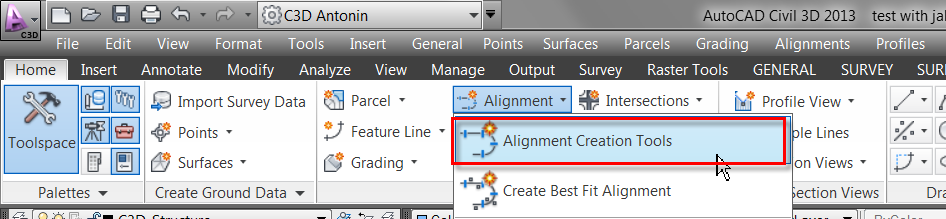
Create a horizontal alignment using the Home – Alignment − Alignment Creation Tools command which follows the pipeline path (other tools for alignment creation can be used as well):
-
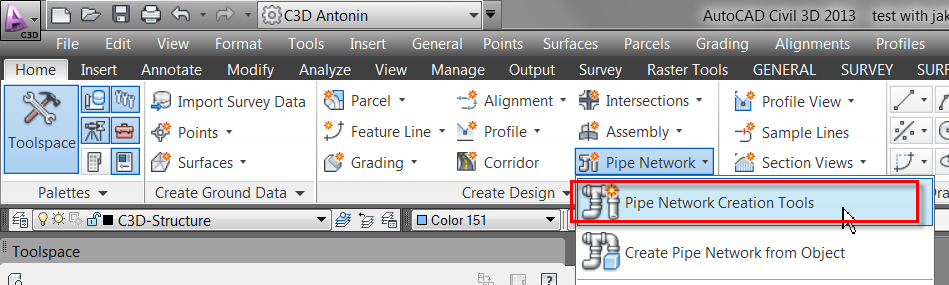
Create an empty pipe network by using the Home − Pipe Network – Pipe network Creation Tools command:
-
Run this command.
-
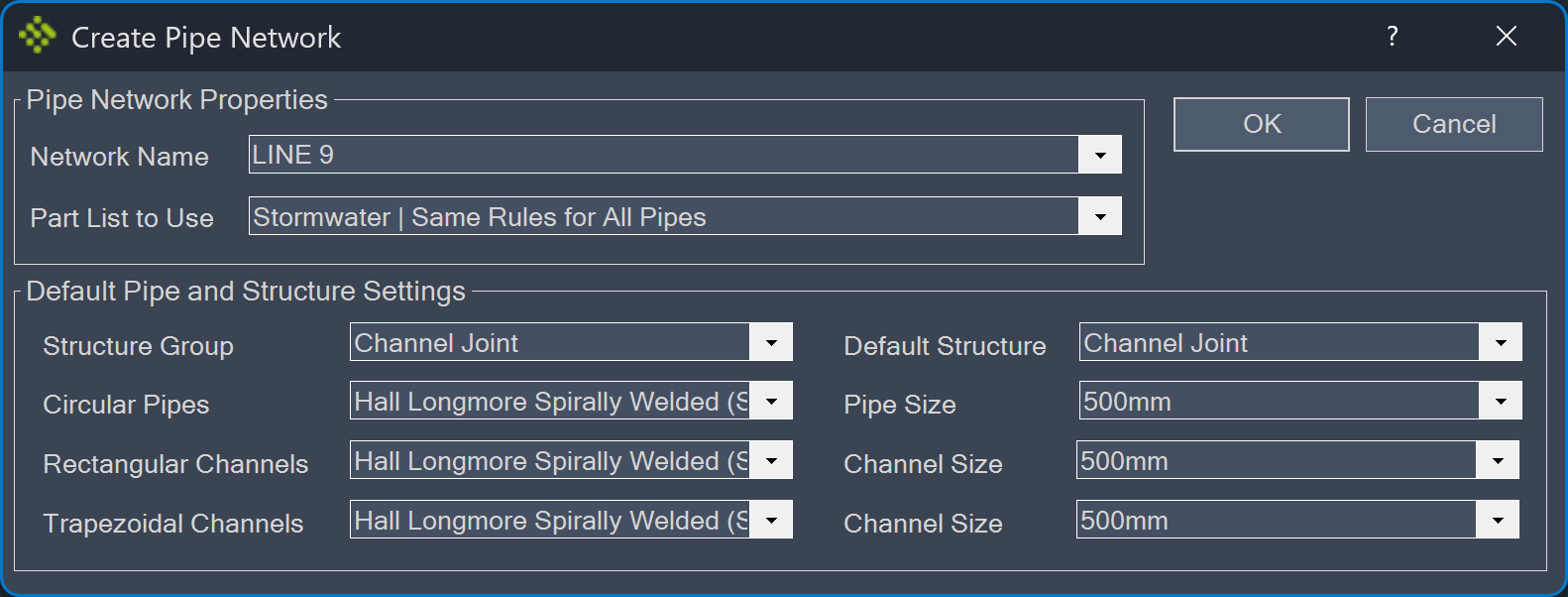
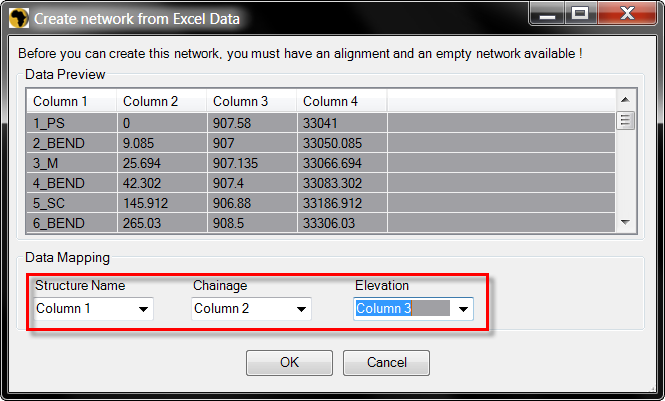
Specify the required fields and click OK:
-
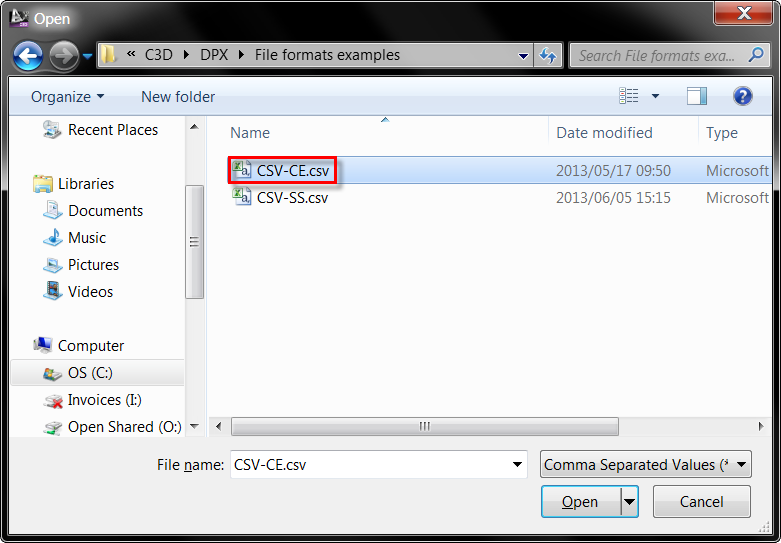
Browse to the file:
-
Specify the Data Mapping and select a horizontal alignment:
Created pipe network:
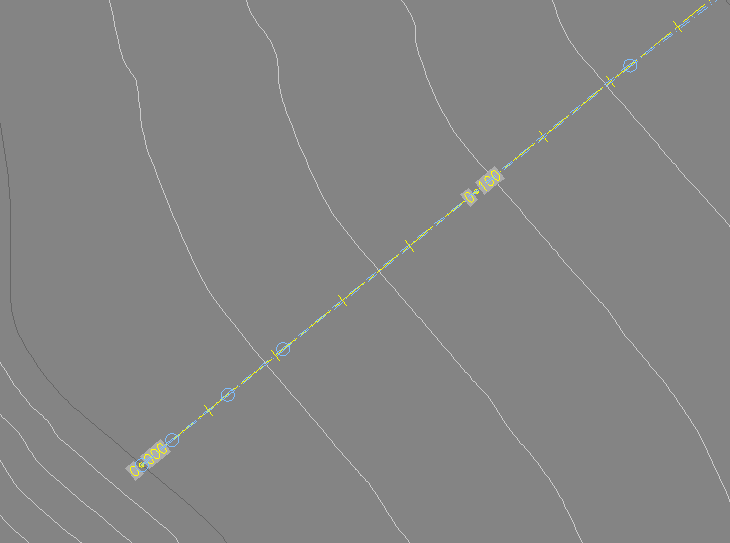
Expected result
[Describe the observable successful outcome.]
Troubleshooting
[Symptom]
[Actionable resolution.]
Related topics
- [Link to a directly relevant topic]